Install OpenAdapt

Start with the OpenAdapt CLI

The flagship OpenAdapt project installs the compiler and governed runtime under the unified openadapt flow command. Native OpenAdapt Desktop Beta installers package that workflow engine for Windows, macOS, and Linux.

pip install openadapt

Desktop packaging

Native desktop Beta

Compatibility release desktop-v0.6.2

Choose the build that matches your operating system and processor below.

All downloads

Every installer in the latest compatibility release (desktop-v0.6.2). Choose the one that matches your machine.

Windows (x64)

.msi installer (or .exe) · 70.0 MB

macOS (Apple Silicon)

.dmg for M1 and later · 51.2 MB

macOS (Intel)

.dmg for Intel Macs · 59.9 MB

Linux (x64)

.AppImage (or .deb) · 176.4 MB

Looking for a different build or an older version? Browse all releases on GitHub.

What you're installing

Real screenshots, honest state

These are unretouched captures of the real native desktop app running the real wired engine, not a rendering of a finished product. The workflows, runs, and the halt shown below are a real local demo recording: two workflows recorded via demo-record, compiled, and replayed on one machine. It is local demo data, not production or customer data, and the signed-in session was validated against a locally-run instance of the cloud in mock mode. The pictured release predates the Beta lane and uses unsigned or ad-hoc-signed installers; see the release notes before installing.
OpenAdapt Desktop
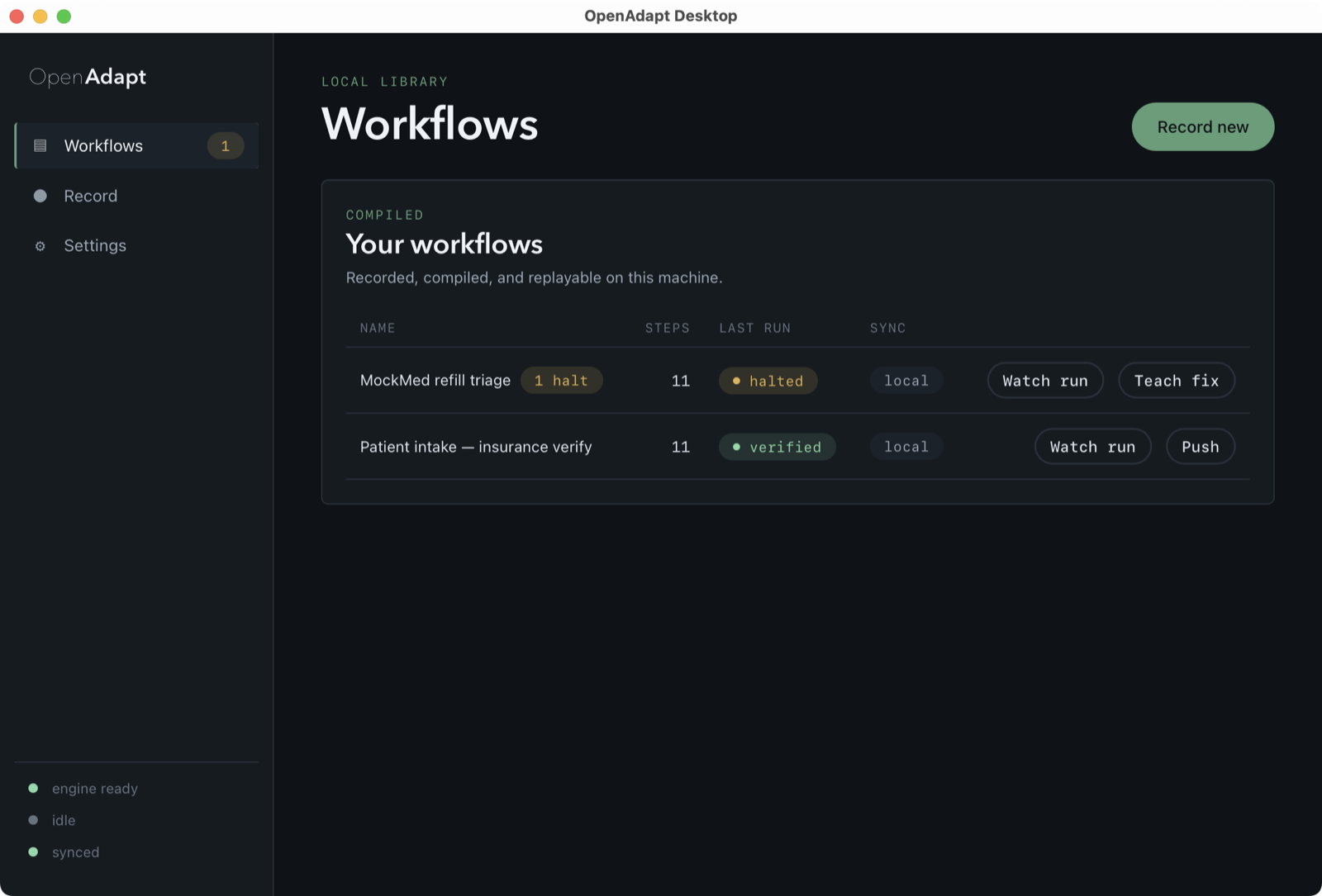
OpenAdapt Desktop workflow library listing two real replayed demo workflows: MockMed refill triage (halted, needs attention) and Patient intake insurance verify (verified), with an engine-ready and synced status rail.
The workflow library. The real desktop app running two real replayed demo workflows: one halted and needing attention, one verified. Both were recorded via demo-record, compiled, and replayed locally on this machine.
OpenAdapt Desktop
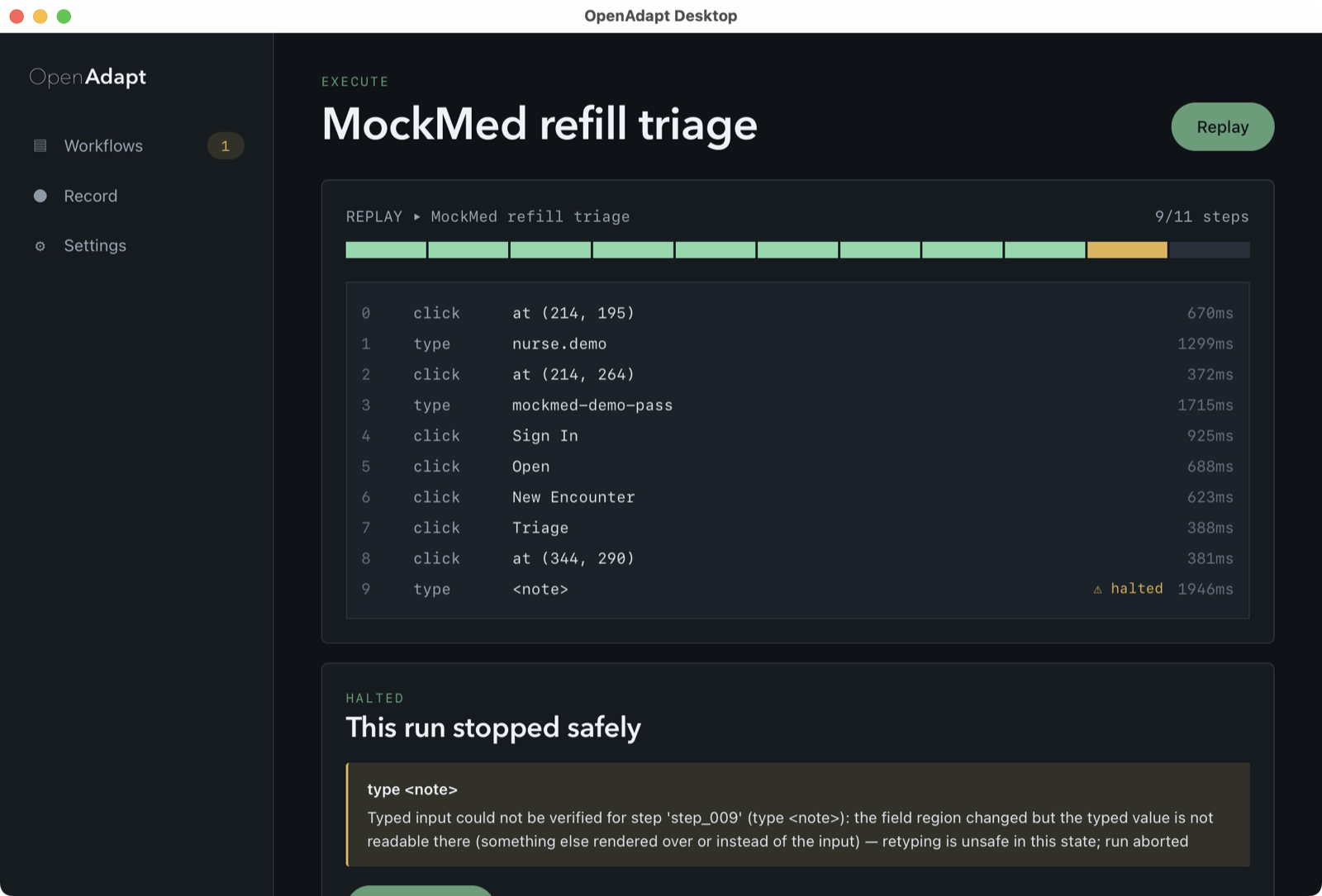
OpenAdapt Desktop run detail for MockMed refill triage: a replay timeline with 9 of 11 steps verified and one halted, and a "This run stopped safely" card explaining that the typed value could not be verified for step_009.
Halt evidence: this run stopped safely. The differentiator: a real replay that stopped safely at step 9 of 11 rather than write a value it could not verify. The halt reason is the app's real effect-verification output on local demo data: the field region changed, so the typed value is not readable there and retyping is unsafe.
OpenAdapt Desktop
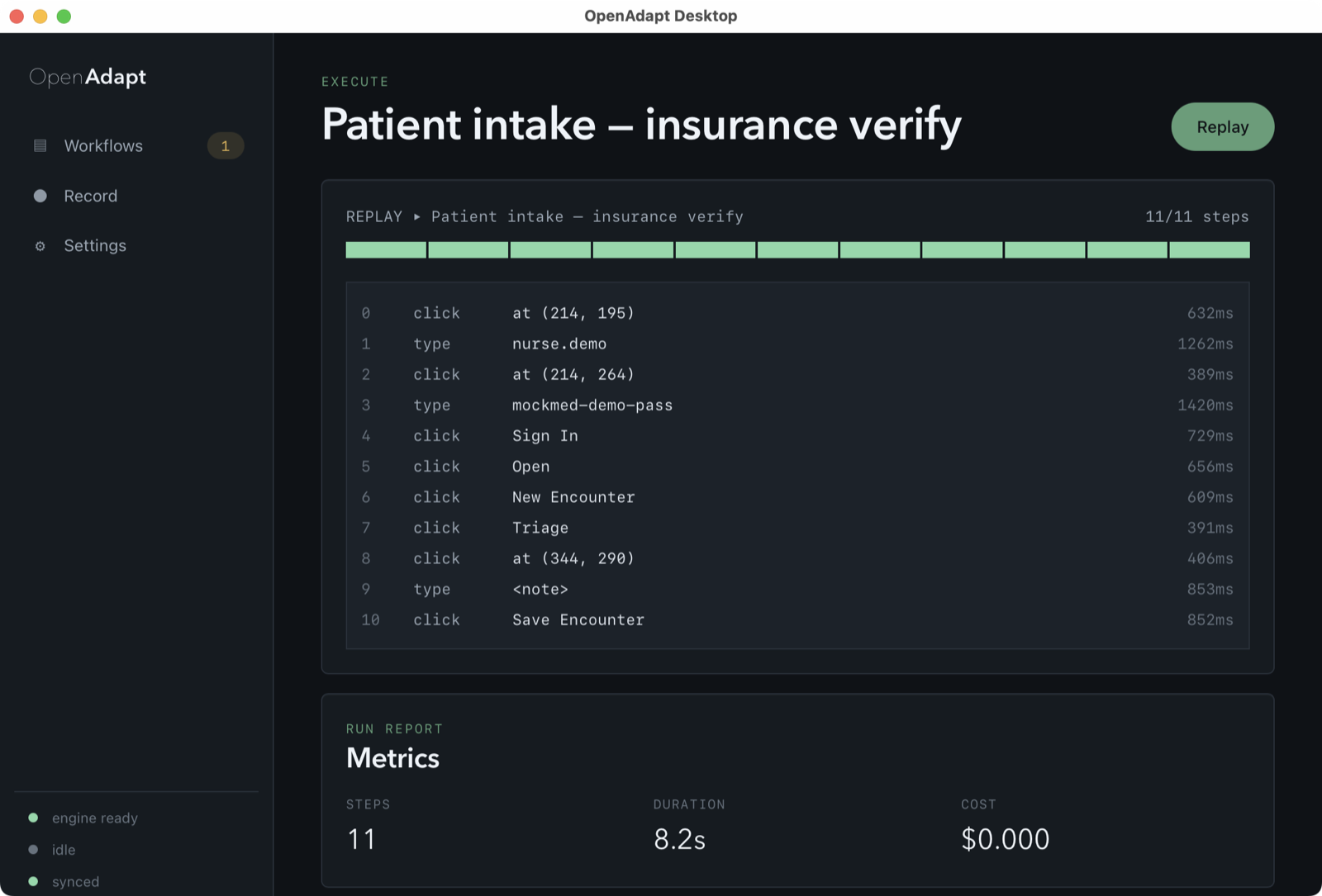
OpenAdapt Desktop run detail for Patient intake insurance verify: all 11 of 11 steps verified, with a run report showing 11 steps, 8.2s duration, and $0.000 model cost.
A verified run. The other workflow replays clean: 11 of 11 steps verified, 8.2s, $0.000 model cost. Real local demo run.
OpenAdapt Desktop
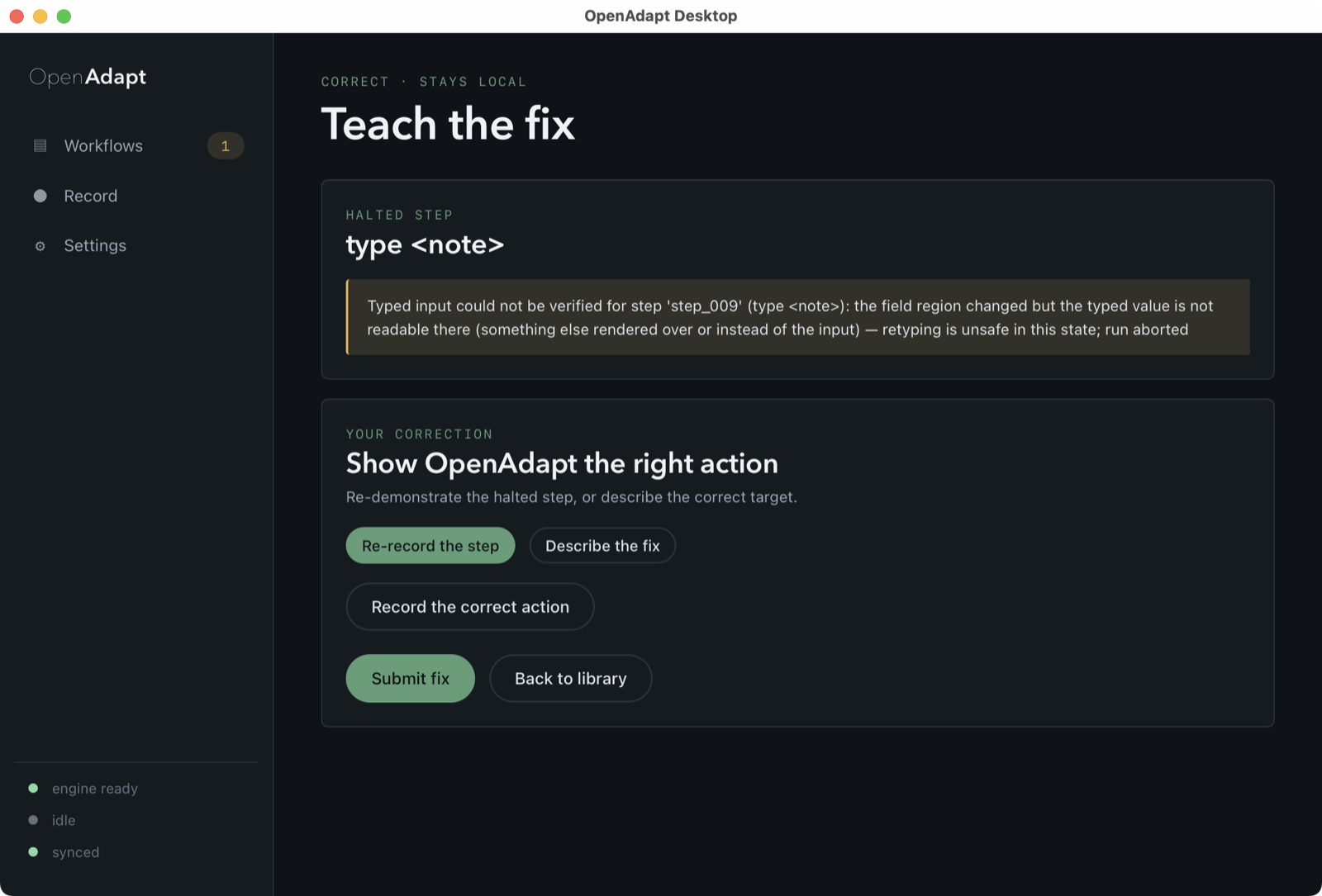
OpenAdapt Desktop "Teach the fix" surface: the halted type-note step with its verification-failure reason, and options to re-record the step or describe the correct target.
Teach the fix. When a run halts, you correct it in place by re-recording the step or describing the right target. The correction stays local.
OpenAdapt Desktop
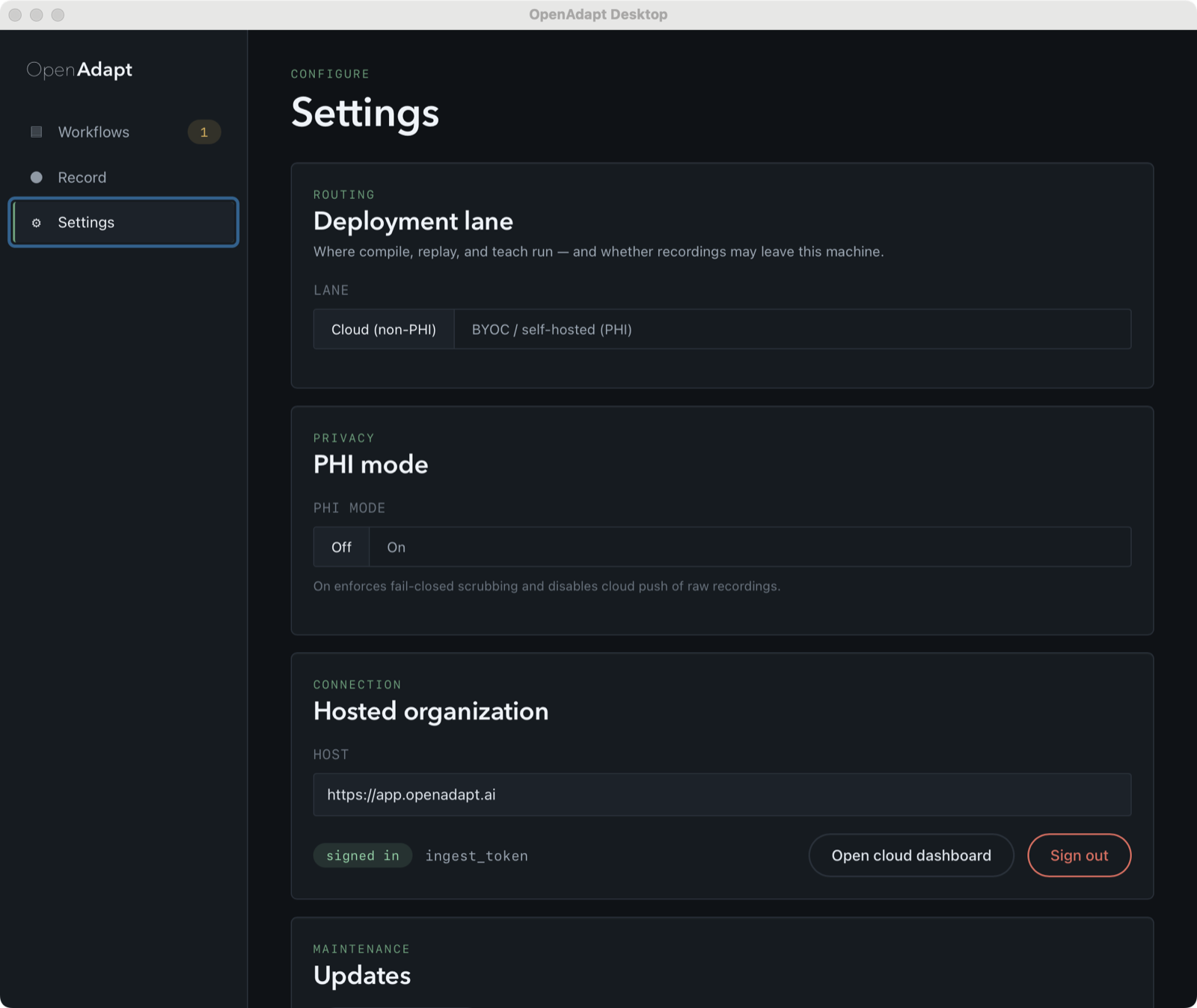
OpenAdapt Desktop settings: deployment lane (Cloud non-PHI vs BYOC self-hosted PHI), PHI mode, and a hosted-organization connection to https://app.openadapt.ai with a signed-in ingest-token session.
Settings and policy. Deployment lane, PHI mode, and the signed-in session. The connection was validated against a locally-run instance of the cloud in mock mode, not a production org.
OpenAdapt Desktop
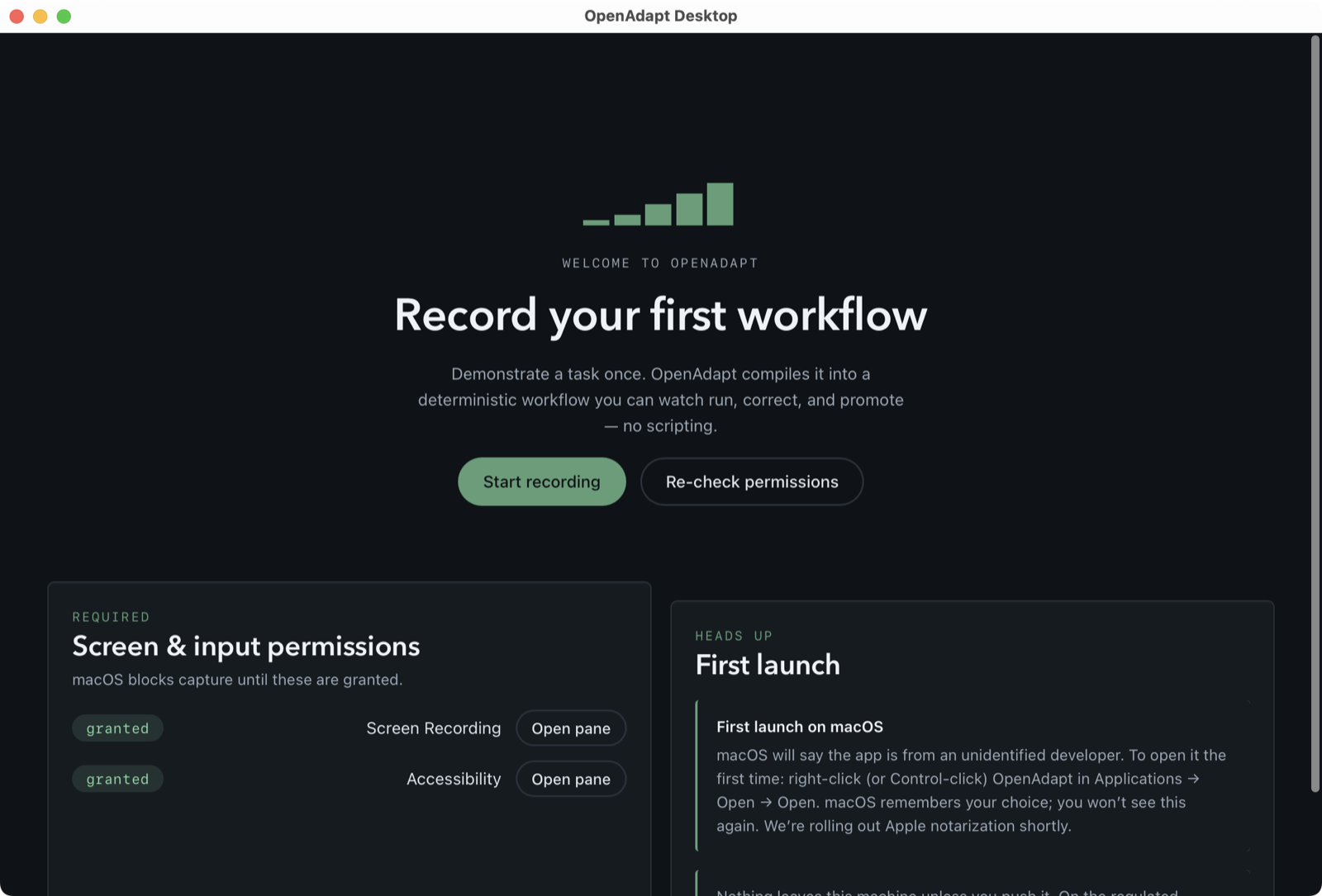
OpenAdapt Desktop first-run onboarding "Record your first workflow", with screen and input permission checks granted and macOS first-launch guidance.
First-run onboarding. First launch walks through the screen and input permissions capture needs before you record.
OpenAdapt Desktop
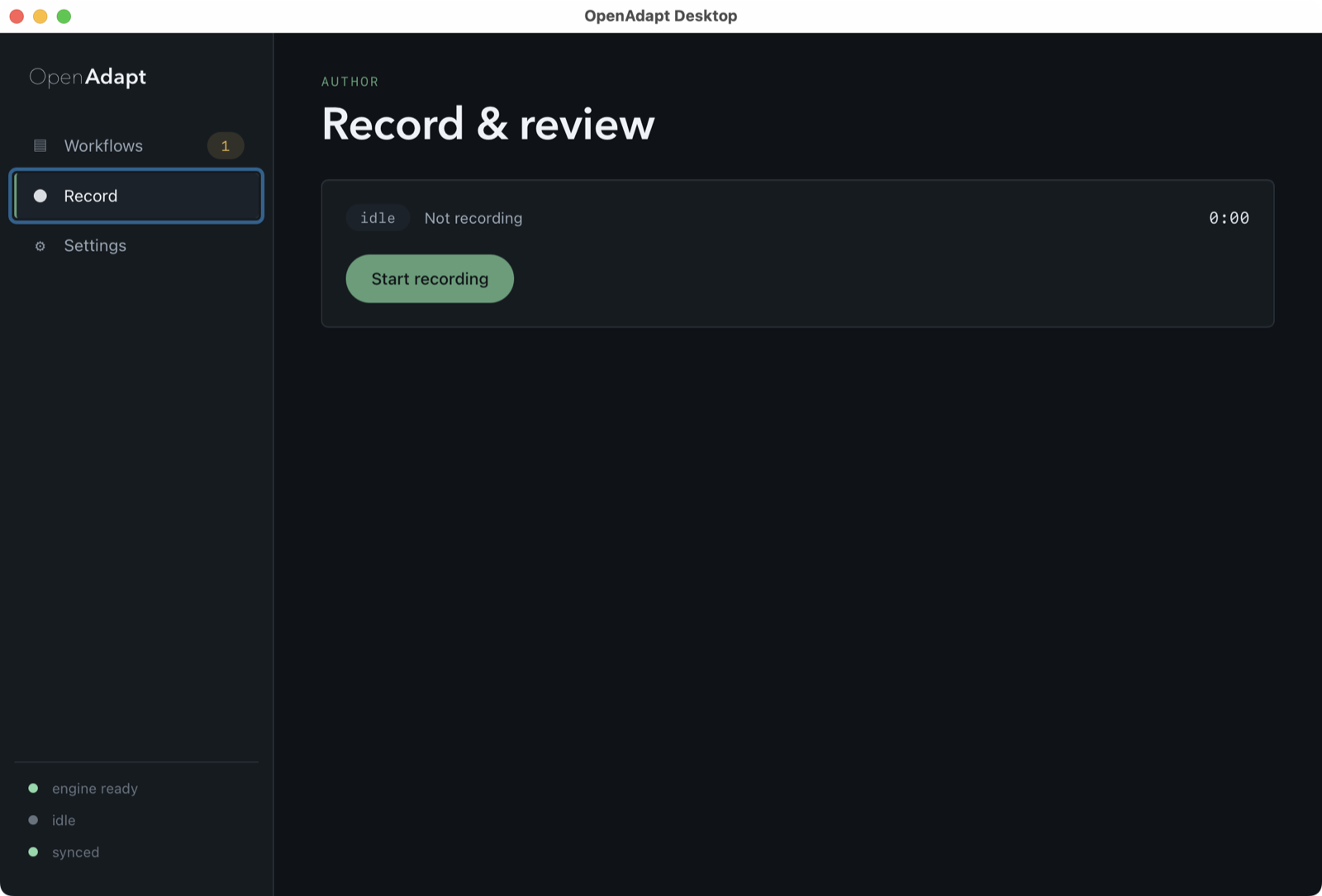
OpenAdapt Desktop record surface in its idle state, ready to capture a demonstration, with a Start recording button.
Record and review. Demonstrate a task once. The recorder captures it, then the engine compiles it into a replayable workflow.
OpenAdapt Desktop
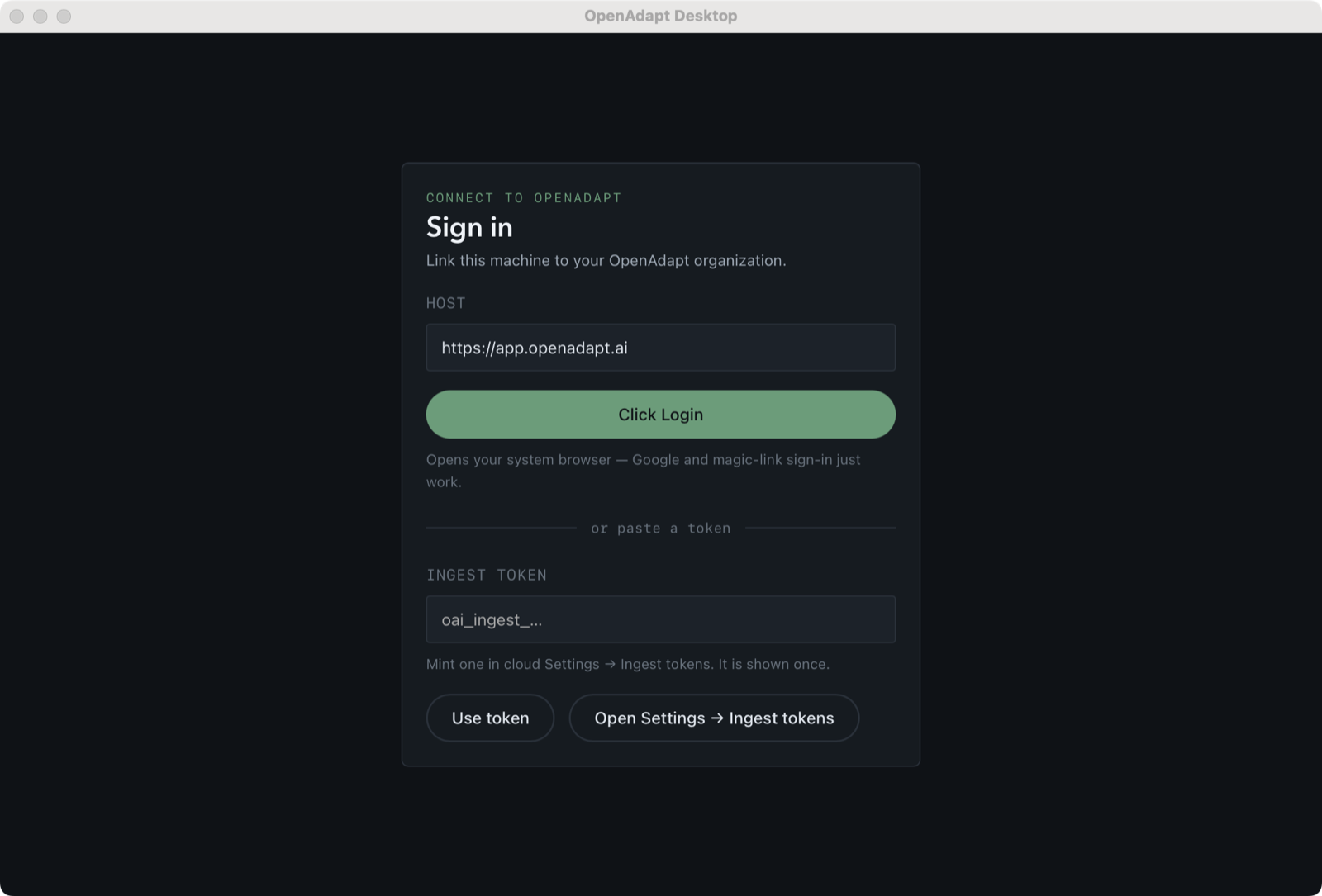
OpenAdapt Desktop sign-in surface with a host field, a browser sign-in option, and an ingest-token paste option.
Sign in. Sign in with a browser or an ingest token. Validated against a locally-run instance of the cloud in mock mode, not a production org.

Every capture above is the real native app on the real wired engine. The data shown is a local demo recording; it is not a hosted production org and not customer data.

The tray companion

OpenAdapt in the tray, on macOS, Windows, and Linux

openadapt-tray 0.1.1 is a separate pip install openadapt-tray package that puts an OpenAdapt indicator in the menu bar or system tray to mirror status and launch surfaces. The panels below are a representation of where that icon appears on each OS — they are not screenshots. The tray is not included in the installers on this page, and no released desktop build provides the companion service it connects to yet.

OpenAdapt
9:41
macOS menu bar. The OpenAdapt icon sits with the status items at the right of the menu bar.
9:41 AM
Windows system tray. The OpenAdapt icon appears in the notification area at the corner of the taskbar.
Activities9:41
Linux panel. The OpenAdapt icon shows in the top panel indicator area (GNOME and compatible shells).

Windows install flow

The real NSIS installer, start to finish

Captured from the actual windows-x86_64-unsigned-nsis-setup.exe (v0.6.1) running on a real Windows 11 machine. This pictured predecessor is unsigned, so Windows shows an Unknown Publisher warning (expected); see First launch below for how to proceed safely.
OpenAdapt Desktop Setup
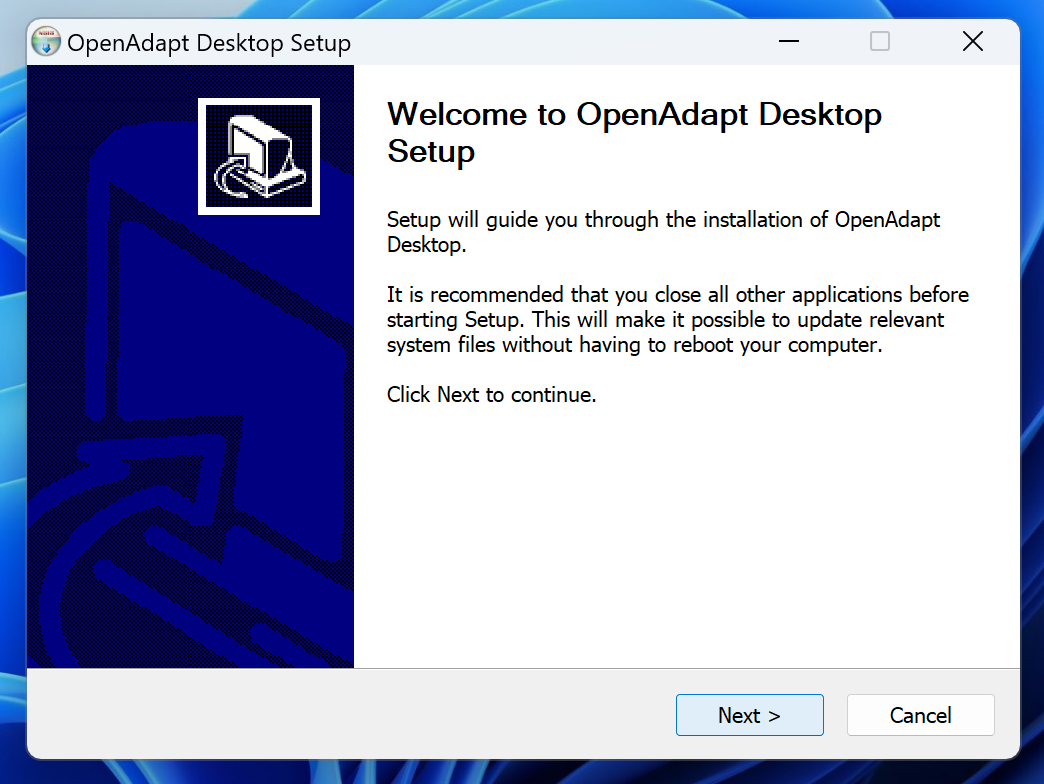
NSIS setup wizard welcome page reading "Welcome to OpenAdapt Desktop Setup" with a Next button.
Step 1. Welcome — the NSIS setup wizard opens.
OpenAdapt Desktop Setup
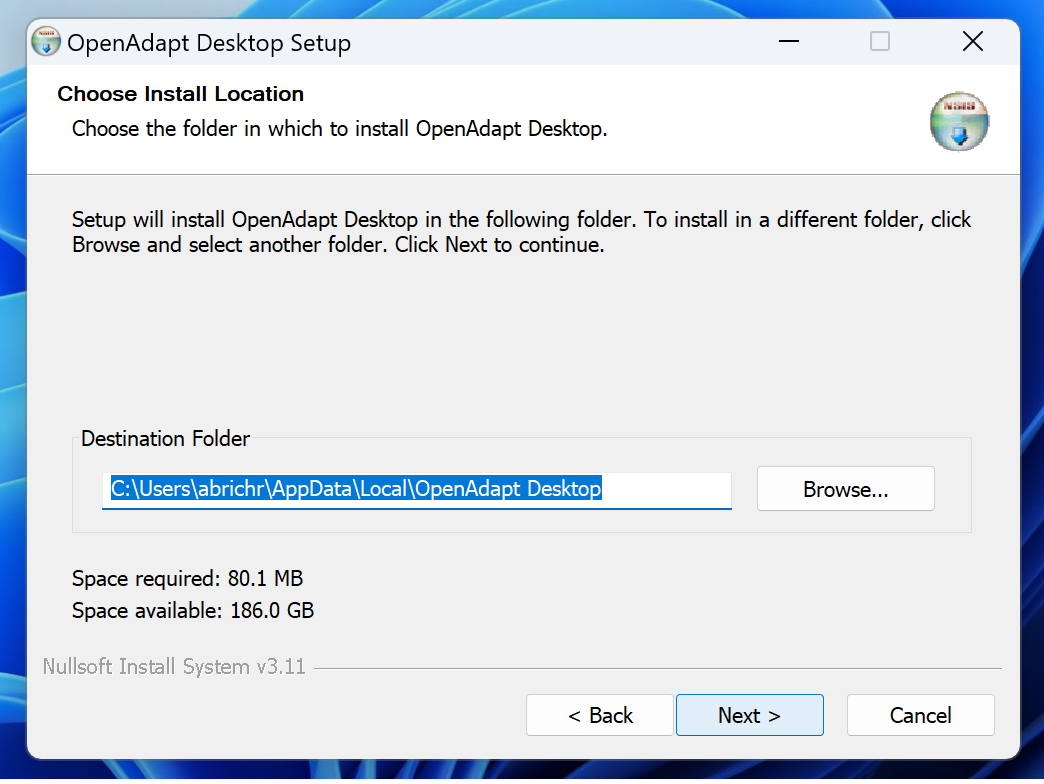
Choose Install Location page defaulting to a per-user path under AppData\Local\OpenAdapt Desktop; the footer reads Nullsoft Install System v3.11.
Step 2. Choose location — a per-user install to %LOCALAPPDATA%\OpenAdapt Desktop, no admin rights needed.
OpenAdapt Desktop Setup
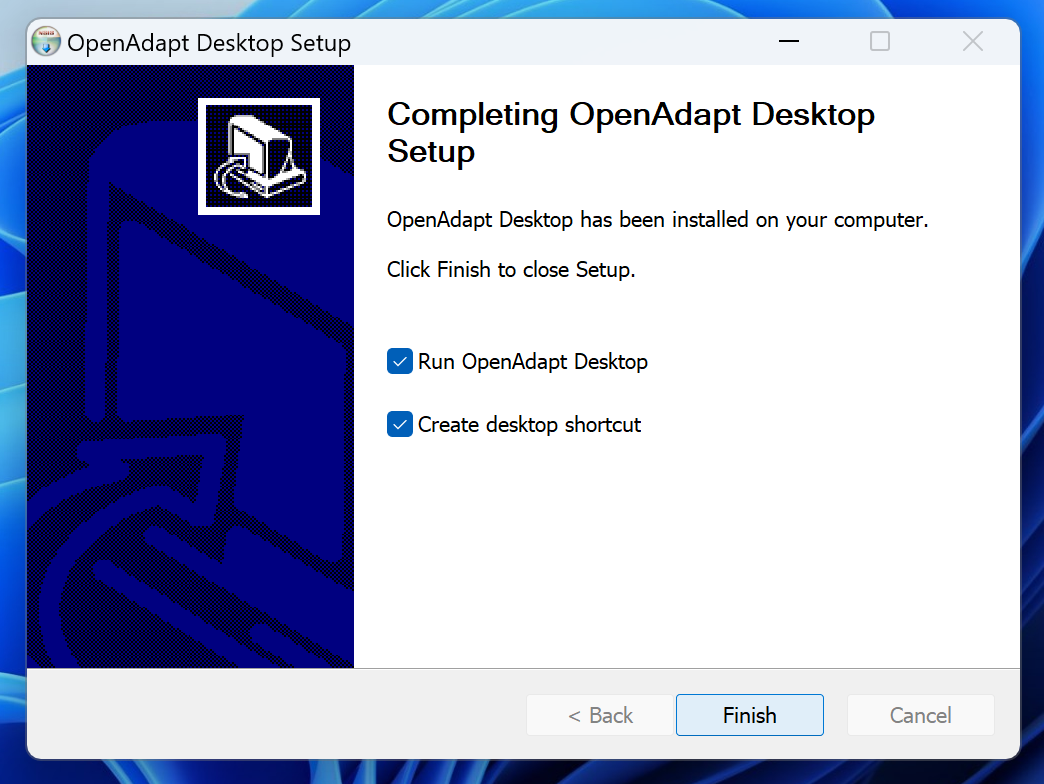
Completing page reading "Completing OpenAdapt Desktop Setup" with "Run OpenAdapt Desktop" and "Create desktop shortcut" checked.
Step 3. Finish: files are placed and the app launches. Earlier prereleases panicked on startup (issue #26); v0.6.2 fixes it, and the running app surfaces above are that launched app.

Capture provenance for every screenshot is recorded in the media manifest.

First launch

Current native builds may trigger an operating-system publisher warning. Verify the release checksum before overriding it.

macOS

The DMGs are ad-hoc signed, not yet Developer ID notarized. In Finder, Control-click OpenAdapt Desktop, choose Open, then confirm Open. Only override Gatekeeper after verifying the release checksum.

Windows

The Windows installers are not yet Authenticode signed, so Windows warns that the publisher is unknown — this is expected. On the "Open File - Security Warning" dialog shown below (or a SmartScreen "Windows protected your PC" prompt, where you choose More info), verify the release checksum first, then choose Run.
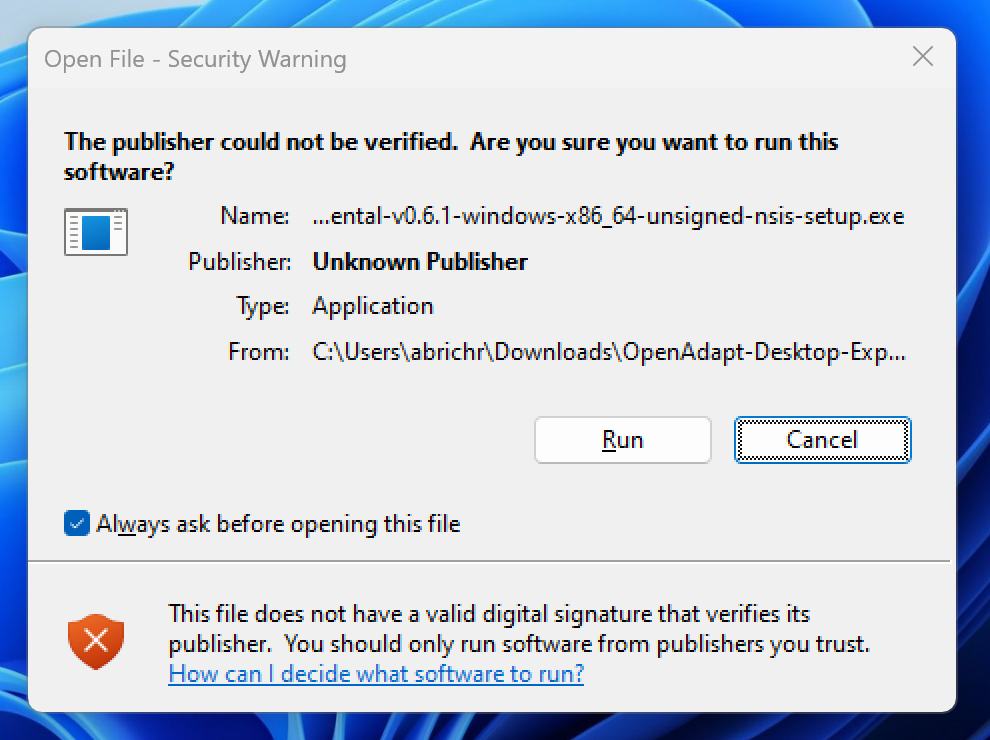
Windows "Open File - Security Warning" dialog reading "The publisher could not be verified" with Publisher: Unknown Publisher for the unsigned NSIS setup .exe, and Run and Cancel buttons.
The real warning on the pictured unsigned build: "Unknown Publisher." It appears because the installer is unsigned, not because anything is wrong with the download.

Download SHA256SUMS and verify GitHub build provenance from the release before installing.

Need the working workflow engine?

Start with pip install openadapt, or bring the workflow you most want to automate to a 30-minute call.

PyPI Download Trends

Historical download statistics for OpenAdapt packages

8Packages
View:
Range:
Loading statistics...
Data sourced from PyPI OpenAdapt packages via pypistats.org API (data retained for ~180 days)